Instant Browser Access
Sign in from any desktop or mobile browser and reach pokies, live tables, sports markets and Mini Games without downloading anything.
Login at SlotsAmigo in Australia: Email & Password Access
Access your casino, live tables, sportsbook and Mini Games with a single sign-in. Two-step verification keeps your account secure at every session.
Login Safety: Dos and Don'ts
What You Should Do
What You Should Avoid
Account Access at a Glance
Instant Browser Access
Sign in from any desktop or mobile browser and reach pokies, live tables, sports markets and Mini Games without downloading anything.
Two-Step Verification
Email or SMS verification codes are required on new devices, reducing the risk of unauthorised access to your account and funds.
Consistent Mobile Login
The same email and password work across desktop and mobile browser sessions, so you can switch devices without resetting credentials.
Signing in to SlotsAmigo requires only your registered email and password. The process is the same whether you are accessing the casino, the live tables, the sportsbook or the Mini Games section, because all of them operate under a single account. New here? The steps to Sign Up take only a few minutes.
Open slotsamigo.app in any modern desktop browser. Select Login from the top navigation bar, enter your registered email address and password, and click the confirm button. If two-step verification is active on your account, a code will be sent to your registered email or mobile number. Enter the code when prompted and you will be directed to the main lobby, where Home, Promotions, Casino, Live Casino, Sports, Live Sports, Mini Games and Poker are all accessible from the same menu.
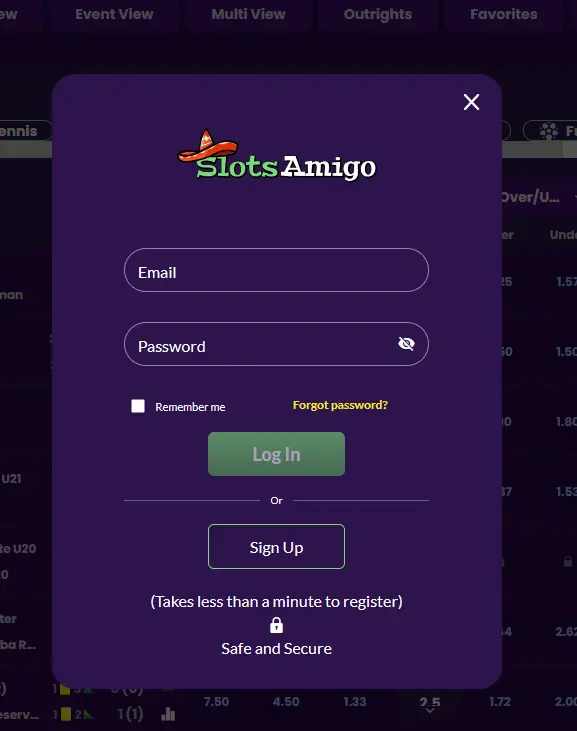
The mobile browser experience mirrors the desktop layout on a scaled interface. Navigate to slotsamigo.app on your iOS or Android browser, tap Login, enter your credentials and complete any verification code step. You do not need to download any application. For a full overview of mobile device compatibility and how to add SlotsAmigo to your home screen as a shortcut, see the SlotsAmigo app guide.
SlotsAmigo operates through a mobile-optimised web platform rather than a dedicated native app. Logging in via the mobile browser shortcut is functionally equivalent to an app experience. The same two-step verification applies, and your account history, balance, bonus status and responsible-gaming limits carry across every session.
SlotsAmigo uses registered email and password as the primary login method, supplemented by two-step verification codes delivered to your email inbox or mobile number. There is no social media sign-in option. The email address you registered with is the only identifier accepted at the login screen, so use an address you own and expect to maintain long-term. Disposable email services are not recommended, as they can complicate withdrawal verification and correspondence.
Several conditions can prevent a successful sign-in. The most common is a mistyped password or email address. Double-check that Caps Lock is off and that there is no extra space at the start or end of either field. If the browser has auto-filled an old credential, clear the field manually before entering your current details.
If you have changed your email address since registering, contact [email protected] for assistance, as the login screen only accepts the original registered address. Accounts that have been temporarily restricted due to a self-exclusion or time-out cannot be accessed until the restriction period ends. If you set a time-out and believe it has now expired, contact support before attempting to log in repeatedly, as multiple failed attempts can trigger additional security checks.
Where none of these apply and the login page itself is not loading, check that your internet connection is stable and that no browser extension is blocking the page. Clearing cookies and cached data resolves many loading issues. If the problem persists, switch to a different browser or device and contact [email protected] to report the issue.
Protecting your SlotsAmigo login credentials is your first line of defence against unauthorised account access. Coco Loco Holdings N.V. requires under Curaçao licence 365/JAZ that you keep your email and password private at all times. Actions taken by anyone who signs in with your valid credentials are treated as authorised account activity, which means disputed transactions are harder to reverse if your details were shared or exposed.
Two-step verification via email or SMS code is the most effective additional protection available. It ensures that even if your password is compromised, the attacker cannot complete a login without also accessing your email or phone. Enable it through account settings or ask Live Chat to assist with setup. Keep your registered email account equally well secured, because password recovery links are sent there. If you suspect unauthorised access, contact [email protected] immediately and request a temporary account restriction while the matter is investigated. Do not attempt to fix the issue by opening a new account, as duplicate profiles are prohibited under the platform rules and can result in permanent account closure.
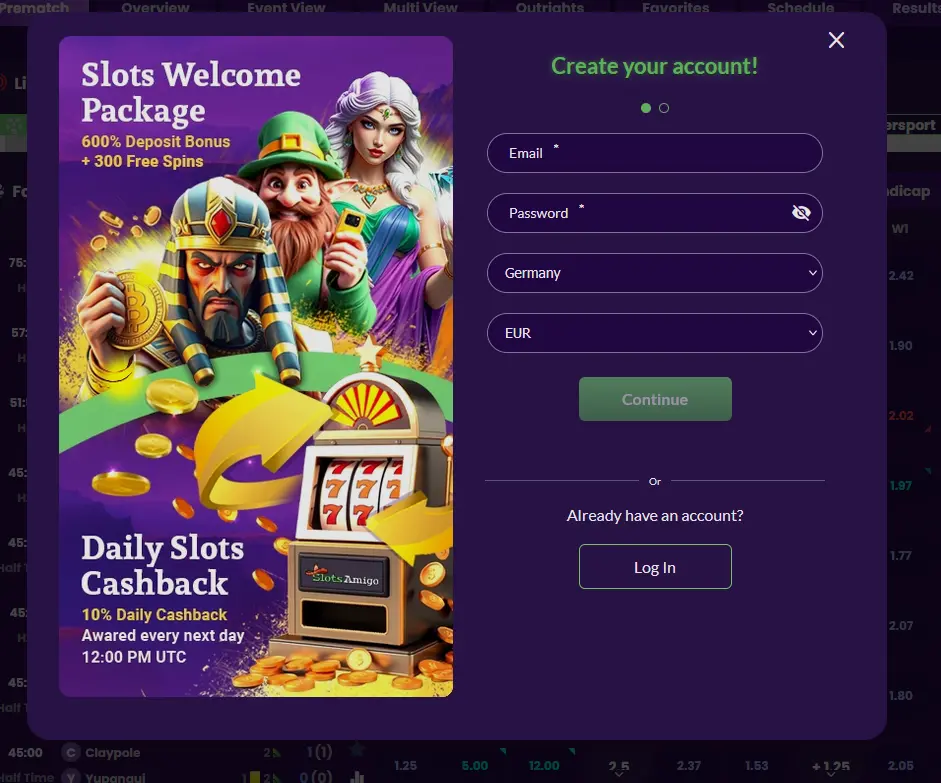
Registration at SlotsAmigo is a two-step process completed directly on the website. You will need to provide your country, preferred currency, email address, a password, and in the second step your full name, mobile number, address, postal code and date of birth. All players must be at least 18 years old and confirm they accept the terms before the account is created. One account per person is permitted. If you need help during sign-up, Live Chat is available around the clock.
Login Questions Answered
Enter the email address you registered with and the password you set during sign-up. If two-step verification is active, you will also need to enter the code sent to your email or mobile number.
Select Forgot password on the login screen and follow the reset instructions sent to your registered email. Create a new password using a combination of letters, numbers and symbols.
Coco Loco Holdings N.V. is required under Curaçao licence 365/JAZ to verify player identity before releasing withdrawals. You will need to submit a government-issued photo ID such as an Australian driver's licence, passport or Medicare card, plus a bank statement or utility bill confirming your address.
Most mobile browsers allow you to save credentials and stay logged in between sessions, but SlotsAmigo recommends signing out on shared or public devices to protect your account balance and personal data.
Ready to Play? Log In Now
Grab 600% up to $30,000 and 300 free spins.
Play Now You must be 18 or older to play. Gambling can become addictive, so please set limits. Bonus terms apply.